6 Tools Every Event Organizer Should Use
August 31, 2026 - Senna Huurman - reading time 4 minutes
Keeping a clear mind and staying focused on what really matters can be quite difficult when running a venue. Especially if it’s a venue that mixes concerts, exhibitions, and dinner nights, sometimes even all in the same night. Being able to bring such fun and inspiring events to the people is a rewarding feeling, however keeping track of who's doing what, where, and when tends to be a bit less enjoyable.
Where the struggles begin
A venue team you might know used to juggle stacks of spreadsheets, multiple different calendars, and separate systems for selling tickets and internal communication. Nothing was connected, so whenever someone needed an answer, like how many tickets were left, or who was working the door tonight, they had to get their own hands dirty on the dance floor.
If this sounds familiar, you're not alone! Most organizers end up with a pile of separate tools because that's how it's always been done: one tool for tickets, one for the calendar, one for guest lists, one for emails, and so on. Because all of these platforms are so divided, keeping the full picture in your head becomes a job on top of your actual one.
I’ve gathered six tools that are handy to have in your stack as an event organizer, no matter which platform you get them from!

Getting people through the door
1. A guest list that survives contact with reality
Guest list management is named as one of the biggest headaches for event organizers. And, it’s often caused by the usual culprits: a plus-one added at 11 PM, a promoter's list that doesn't match the door staff's list, a missing name because it lived inside someone's inbox instead of the actual document.
An online guest list tool separates VIPs, press, and general guests into their own categories, stays up-to-date, sets a deadline for changes, is easily shareable (by link/email/chat) and gives door staff a singular list to check instead of three. The last-minute chaos won’t disappear, but it stops being your problem to fix every single time.
2. A scanner that keeps the line moving
The door is the first physical moment a guest has with your event. A scanner that lags, loses connection, or can't find someone's ticket undoes all the marketing work that got them there in the first place.
Be on the watch out for a scanner that has an offline mode (venue wifi will let you down eventually), support for multiple devices scanning at once, and instant duplicate detection so staff aren't spinning a wheel to decide whether a code has already been used. Get this part right and the door becomes the easy part of the night instead of the bottleneck.

Getting the word out
3. An email list that still beats social media
An email doesn't catch much attention when compared with flashy, beautifully designed social media posts, but research is sure about its effectiveness. Research from Zippia on marketing events shows that up to 45% of ticket sales come from email campaigns, more than any other channel. The conclusion is the same specifically for live entertainment too, as a Harvard-affiliated study analyzed years of campaign data from an online marketplace selling tickets to major sports and live entertainment events, and found that email offers measurably increased ticket purchases, both immediately and over the following months.
The reason is actually quite simple: you own your email list. While social platforms decide who sees your posts, your subscriber list stays completely yours, and it's the one channel where you can accurately reach people who've already shown interest!
4. Segments instead of one big blast
Sending the exact same email to your entire list works, until it doesn't. Academic research on email marketing shows that well-targeted, segmented campaigns boost significant better engagement and conversion than generic blasts sent to everyone at once.
Splitting your audience by what they've bought before, how recently, or what kind of shows they go to means that a techno event doesn't get promoted to your jazz fans. Sending events to your guests that fit their personal taste will encourage them to come by more often.

Keeping the show on track
5. One calendar everyone actually checks
Spreadsheets don't update in real time. Every change creates a gap between when it's made and when the rest of the team sees it, and that gap is exactly where double-bookings and missed updates happen.
A shared calendar puts the current version of the schedule in one place that updates the moment anyone touches it. No more "wait, is this the newest file?" before a meeting.
6. The conversation you have before show day
Advancing (the process of confirming riders, schedules, and contacts with artists and vendors ahead of time) is unglamorous but it's what stands between a smooth show and chaos. Missing details, a rider that doesn't match the actual lineup, a catering request buried in an old email thread, tend to pop up on the set-up day instead of getting caught weeks earlier.
A steady advancing process turns that chaotic process of going back-and-forth into one document that everyone can check: what's confirmed, what's still unfinished, and who to call if something changes.

One system beats six
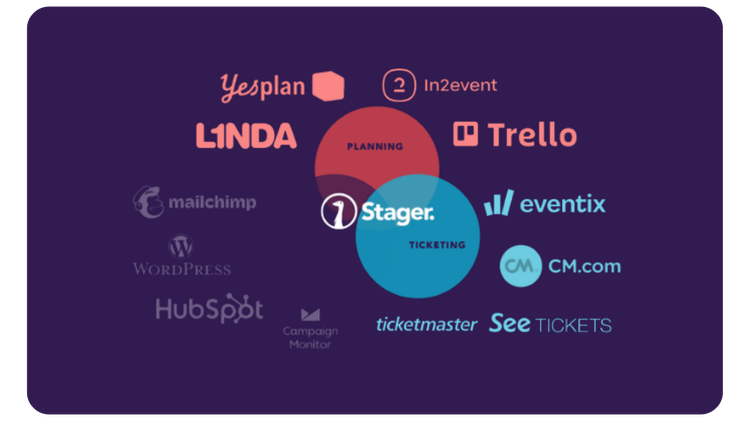
Having separate systems can be incredibly frustrating and inefficient. Although I listed six tools that are really handy to have, having a virtual backstage is the handiest option of all. All six of these tools live inside Stager. I’m not telling you to switch (okay, maybe a little), but being able to focus on what truly matters by using one connected system instead of six or more complex and separate tools, is valuable.

Look at Het Bos in Antwerp for example. The versatile venue runs concerts, exhibitions, and dinner nights, often combined into a single evening, and used to manage it all through a patchwork of spreadsheets, separate calendars, and disconnected tools. After moving everything into one system with Stager, operational manager Charlotte Jacobs mentioned: it "eliminates 90% of our former communication issues." Read the full story.
Are you curious what our software could look like for your events? See all of Stager's features here!
Frequently Asked Questions
A 2024 EventMB survey found 60% of event planners name guest list management their top challenge, mostly last-minute additions and mismatched lists between promoters and door staff. A shared, live guest list that door staff can check from one place removes most of that chaos.
Yes. Research puts up to 45% of ticket sales tracing back to email campaigns, more than any other channel, and a study analyzing live event ticket data confirms email offers measurably increase purchases. Owning your list also means you're not dependent on a social platform's algorithm.
Segmented emails match content to what each group actually cares about, rather than treating every subscriber the same. Academic research on email marketing consistently finds well-targeted, segmented campaigns drive meaningfully better engagement and conversion than generic blasts sent to an entire list at once.
A shared calendar is your single source of truth for schedules, so the whole team sees the same up-to-date version instead of conflicting spreadsheet copies. Advancing is confirming riders, schedules, and contacts with artists and vendors ahead of time, so nothing surfaces as a surprise on show day.
Fast ticket scanning with offline mode, multi-device support, and instant duplicate detection keeps the door from becoming a bottleneck. The door is the first physical moment attendees have with your event, so a slow scan process undoes the marketing work that got them there.
Author
Written by Senna Huurman
Marketing and Sales Intern