See where your ticket buyers come from with Sales tracking
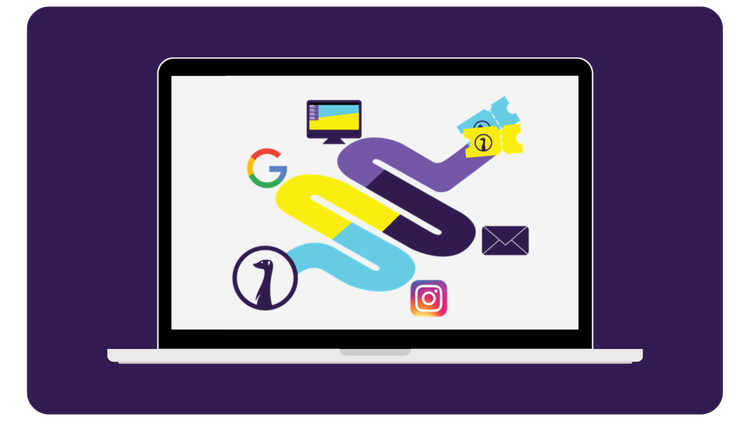
In the past, as a marketer, you would try to figure out how visitors ended up at your event using a questionnaire at the door and a dose of intuition. Now, you tweak knobs in your marketing tools and see exactly how much conversion each campaign generates. Yet, those tools don't tell the whole story.
If someone scrolls past an advertisement and only buys a ticket a few days later via your newsletter, the ladies and gentlemen at Google and Meta still attribute that purchase to themselves. After all, the visitor was once "warmed up" by their platform. That makes the customer journey of a ticket buyer difficult to unravel: there is no tool that exposes the entire process one hundred percent. But with the right tracking, you can get pretty close.
Tracking with the UTM Standard
To track traffic between websites and platforms, there is a global standard: the Urchin Tracking Module, or UTM. You append a piece of code to a URL, and that piece of code tells you exactly the path a visitor took before landing on your site, or even better, buying a ticket.
A UTM link usually consists of three parts:
- Source: where the link comes from (for example, Instagram or your newsletter)
- Medium: via which channel type (social, email, paid ads)
- Campaign: which specific action or promotion it is
If you place the same link on Instagram and in your newsletter, you give them both a different UTM tag. This way, you can clearly see in Google Analytics which of the two actually sold tickets, instead of guessing.

Why this makes the difference
With UTMs, you not only see how many clicks a link received, but also how many of those actually led to a purchase. That is a different story than what an advertising platform reports to you, as they attribute conversions quite generously to themselves. That insight helps you steer more effectively. Do you see that a Facebook ad barely generates tickets, while your newsletter drives the majority of sales? Then you know exactly where your budget and time are actually paying off. Do you work with promoters or partners who help sell your event? Give them all their own tracking link, and you will see exactly who brings in how many tickets.
The catch: doing it manually quickly becomes messy
The problem isn't the UTMs themselves, but managing them. Keeping a separate link for every platform, every campaign, and every partner in an Excel sheet is exactly the kind of work that takes you an afternoon and where one typo in the tag throws your entire report into disarray.

How can you use sales tracking in Stager?
We’ve built in sales tracking functionality within Stager, so you can easily track where your buyers are coming from. For example, imagine you’re promoting your venue’s new club night, and you want to use multiple channels - email, Google ads, Instagram ads and more - to advertise this. By creating sales tracking links for this per channel and using them in your marketing call-to-actions, you can track how effective your promotion is. You’ll be able to see in Stager how well each channel is converting to ticket sales, and this allows you to better optimize your marketing budget. Sending a mailing via the Mailer? Then trackers can be automatically added to your links, without having to do anything yourself.

Sales tracking as a supplement, not a replacement
Don't throw Google Analytics overboard as soon as you start using sales tracking. Think of it as a supplement: platforms like Google and Meta show which steps took place in the journey, while sales tracking shows what actually resulted in sales. Together, they give you the complete picture.
Frequently Asked Questions
Sales tracking is Stager's built-in way to see exactly which marketing channel generates ticket sales. Create a unique tracking link per channel (email, Google Ads, Instagram, etc.), and Stager shows how many of those clicks actually turned into sold tickets.
A UTM link is a URL with a tracking code attached, following the global Urchin Tracking Module standard. It has three parts: source, medium, and campaign. UTMs let you see in Google Analytics which link actually drove ticket sales, rather than guessing.
Google and Meta tend to credit themselves for a sale if a visitor ever saw their ad, even if the purchase happened days later through a different channel, like your newsletter. Sales tracking shows what genuinely led to the sale.
No. Mailings sent through Stager's Mailer get tracking links added automatically. You only create tracking links yourself for channels outside the Mailer, like social ads or partner promotions.
No, use both together. Google Analytics and Meta show which steps happened in a visitor's journey; Sales tracking shows what actually resulted in a ticket sale. Combined, they give you the complete picture.
Author
Written by Senna Huurman
Marketing & Business Development Intern